This document is maintained with the Channel App SDK. Check the SDK README first for current packages and the complete reading order. The source of truth for this Document is the GitHub source.
Follow this page from creating a development private app through running the /tutorial Command,
React WAM, and bot/manager message flows. Choose either TypeScript or Go for the server. Both paths
use the official SDK and public tutorial repository instead of implementing token issuance,
Extension registration, signature verification, or the WAM bridge by hand.
When finished, you will verify that:
the SDK automatically registers the
commandExtension and Function schemas;/tutorialopens a WAM inside a Channel client;the WAM can send a test message as the app bot or current manager;
invalid signatures and missing permissions fail explicitly.
Both paths require:
an account that can access the Channel developer portal;
a stable public HTTPS address or tunnel for the local server;
Git.
The TypeScript path requires Node.js 20.11 or newer and Corepack. The Go path requires Go 1.25 plus Node.js and Corepack for the WAM build.
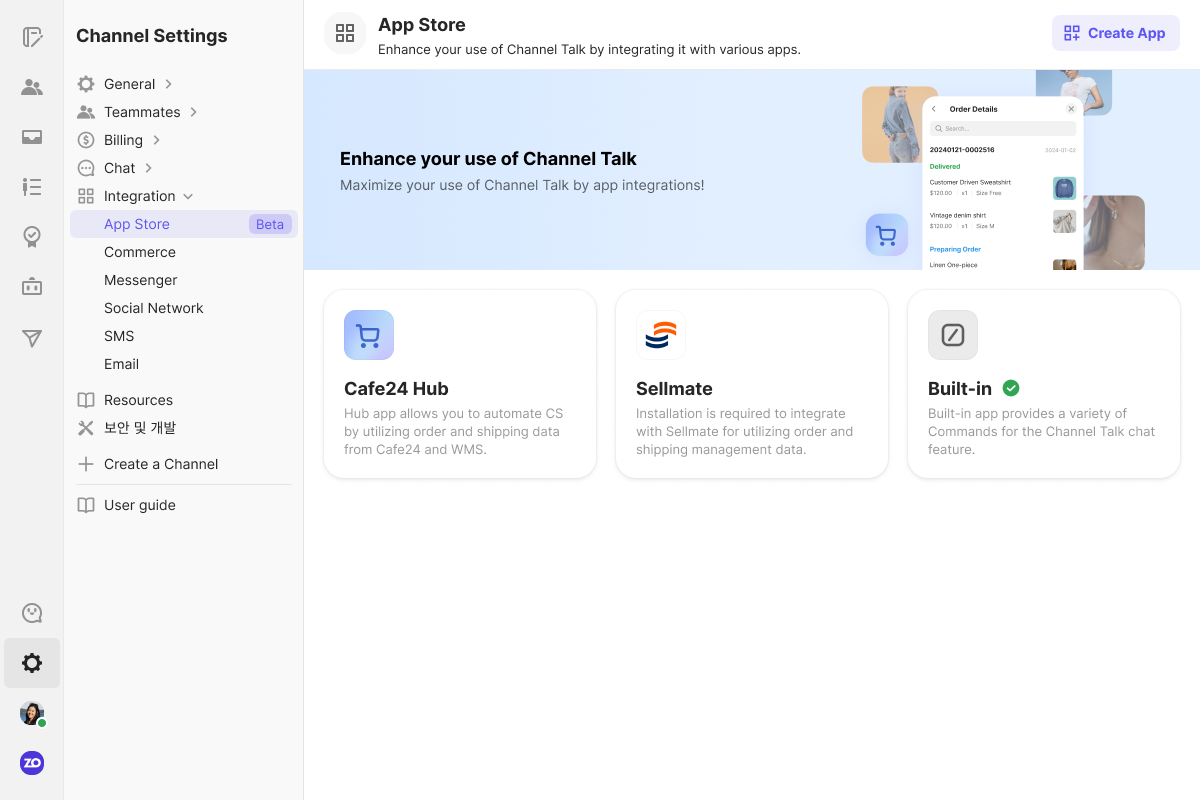
Open App Store from Channel settings and start the app creation flow. The layout may change, but the meanings of App Store, Create App, Auth and Access, Permissions, and Server Settings remain the same.
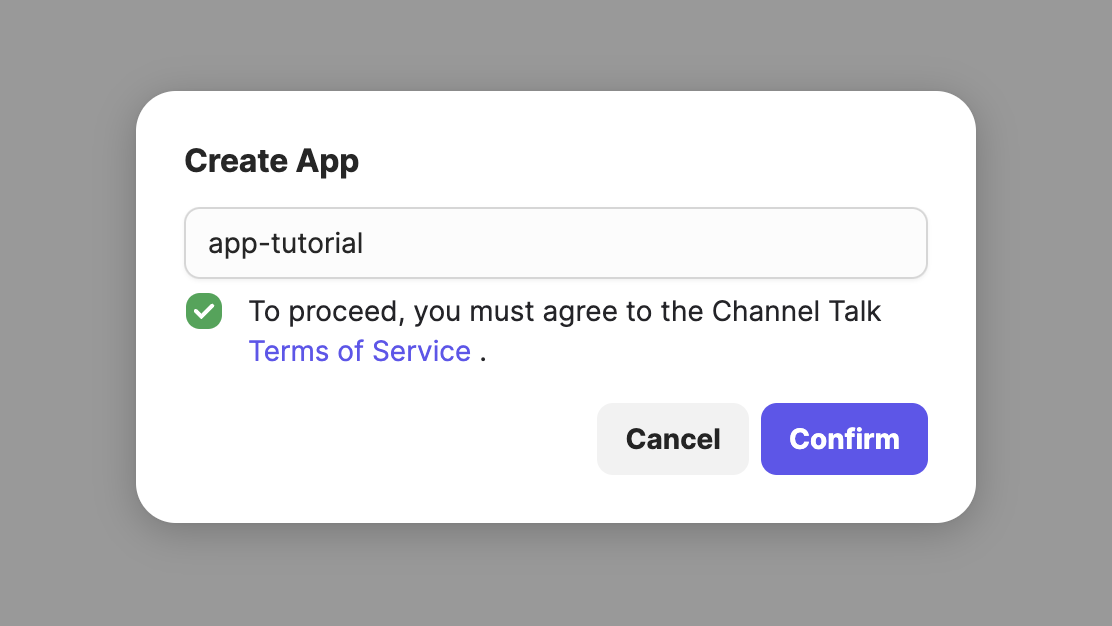
Enter a development name, accept the terms, and create a private app.
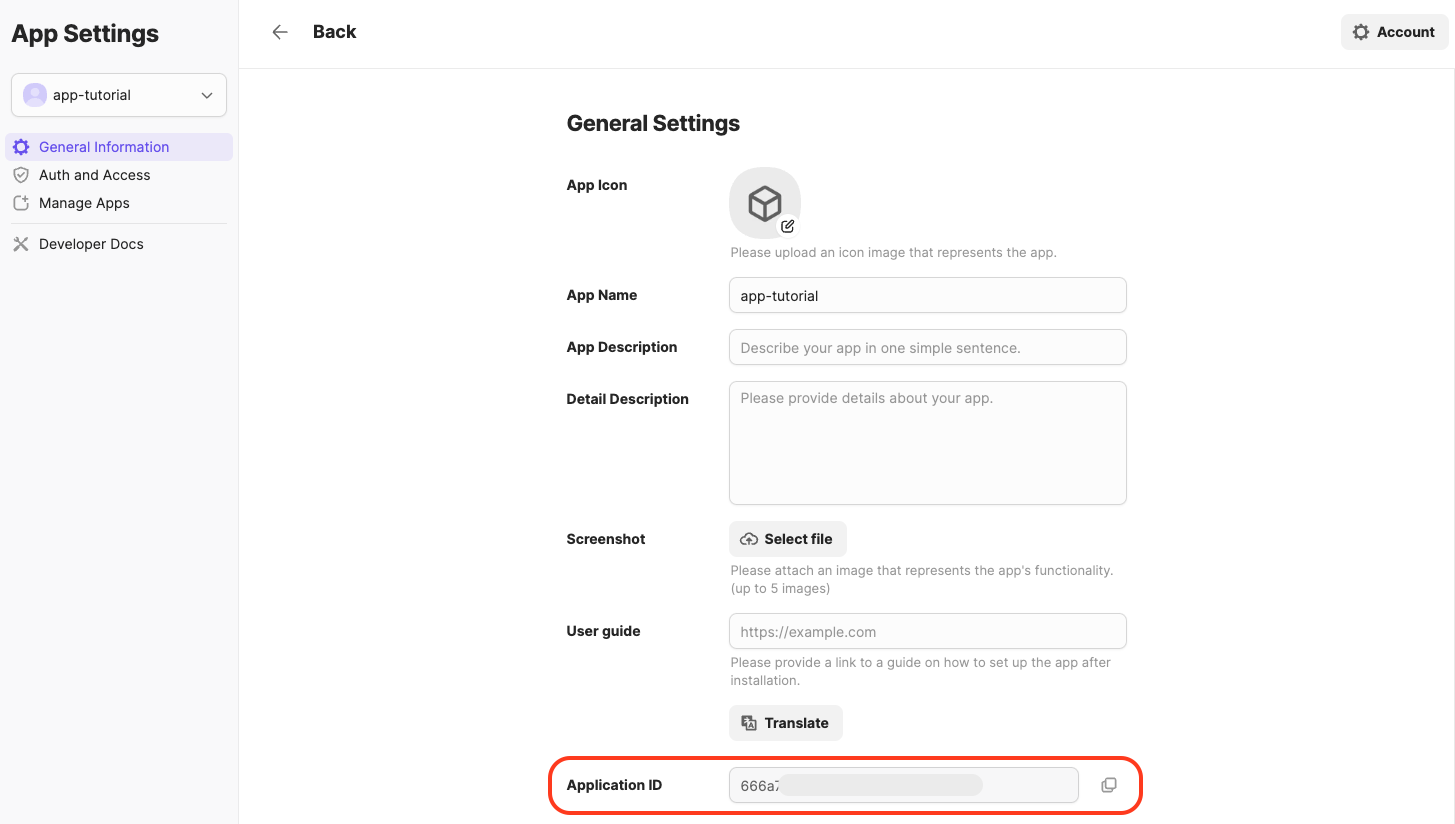
Find the App ID in General settings. The App ID is public identity; the App Secret and Signing Key are server secrets.
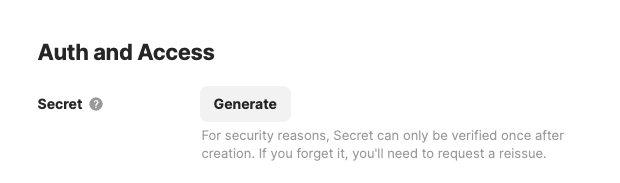
Issue the App Secret under Auth and Access and the Signing Key under Server Settings. These values may be shown only once. Store them in a secret manager and never put them in Git, documentation, WAM code, or logs.
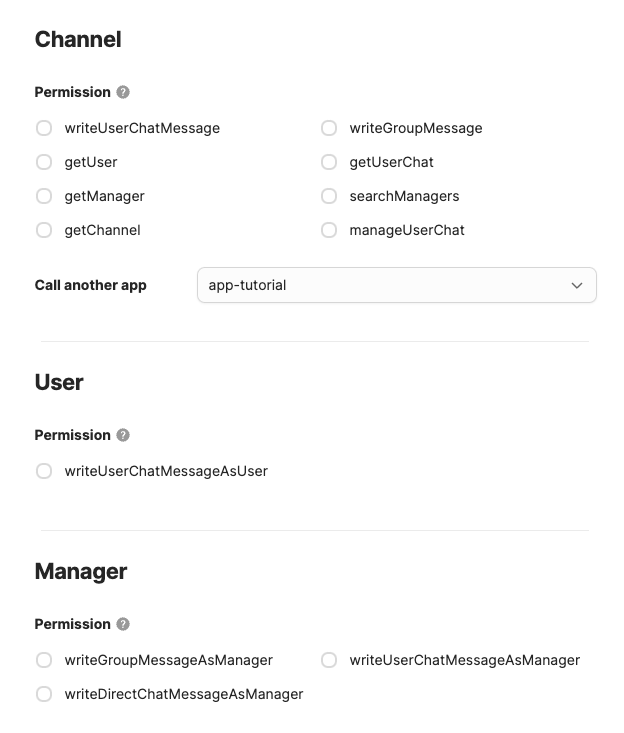
Enable only the permissions required by the tutorial:
Channel:
writeGroupMessageManager:
writeGroupMessageAsManager
This app uses four separate trust boundaries:
incoming Functions: verify
x-signaturewith the Signing Key;server-to-AppStore calls: the SDK
TokenManagerowns app/channel tokens;manager actions in a WAM: the Channel host authorizes the current manager;
external providers: OAuth uses
ctx.authToken; API keys andclient_credentialsuse Config.
Read Concepts for the detailed boundaries.
Follow one path only.
Fill server/.env:
Fill APP_ID, APP_SECRET, and SIGNING_KEY in .env, then load it into the current shell:
The repository lockfile and Go module pin verified SDK versions. Do not replace them with arbitrary versions during the first run.
Prepare a stable HTTPS tunnel before starting the server.
Path | Local port |
|---|---|
TypeScript |
|
Go |
|
You may use any HTTPS tunnel tool, such as ngrok. After installing and authenticating ngrok, expose the local port for the tutorial you selected:
Use the Forwarding HTTPS origin shown by ngrok as YOUR_HOST. If the tunnel address changes,
update the endpoints in the developer portal and restart the server.
If the public address is https://YOUR_HOST, save these roots in Server Settings:
Setting | Value |
|---|---|
Function Endpoint |
|
WAM Endpoint |
|
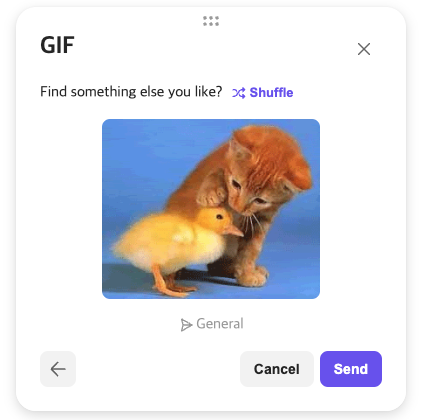
Do not append /v1 to the Function Endpoint or /tutorial to the WAM Endpoint. The SDK and
AppStore add the system version and WAM name. Restart the server after changing credentials,
permissions, or endpoints so startup auto-registration runs again.
Every command must pass. Do not continue after a failed install or by disabling signature verification.
Confirm listener startup and successful Extension registration in the server logs. The SDK caches
an app token, calls registerExtension(appId, extensionName, systemVersion) with a camelCase
payload, and answers extension.core.function.getFunctions discovery.
The tutorials expose:
Path | TypeScript | Go |
|---|---|---|
Function Endpoint |
|
|
WAM Endpoint |
|
|
Local WAM |
|
|
Health check | server listener |
|
Install the private app in a test Channel, or refresh an existing installation. Run /tutorial in
a Channel group conversation. If the Command is absent, check Extension registration and Function
discovery in the server logs first.
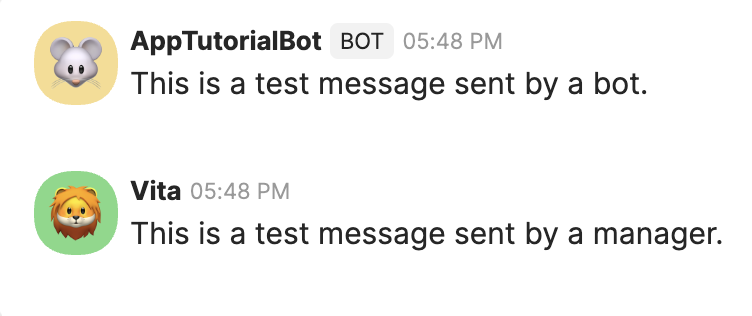
When the WAM opens, invoke both the app-bot and manager actions.
Both test messages should arrive.
Also verify these failure paths:
a non-group-chat surface renders an unsupported state;
removing the Manager permission makes the manager action fail explicitly;
a missing
x-signatureor wrong Signing Key is rejected;duplicate submission is disabled while a request is in flight.
Extension:
command:v1publishes/tutorialmetadata.Function:
tutorial.openandtutorial.sendAsBotare typed server operations.WAM: the React UI is served from
/resource/wam/tutorial.App Function call:
useCallFunctionroutes through AppStore to the app server.Native Function call:
useNativeFunctionacts with the current manager's authorization.Token: only the server-side
TokenManagermanages app/channel tokens.
See each tutorial README's project map for the TypeScript and Go source locations.
Symptom | Check |
|---|---|
Extension registration fails | App ID/Secret, app token, public AppStore URL, server restart |
| hex Signing Key, raw-body preservation, |
| portal uses |
WAM does not open | WAM Endpoint is |
Manager action fails |
|
Bot action fails |
|
Use SKIP_SIGNATURE_VERIFICATION=true only in isolated local debugging. Never paste the App
Secret, Signing Key, access/refresh tokens, or provider credentials into an issue or log.
Complete this first-app Quickstart.
Learn the Function, Extension, WAM, authentication, and token boundaries in Concepts.
Read the wire contract and define standalone typed app Functions with Function registration.
Implement metadata, actions, and autocomplete with the Command guide.
Build the React UI, host authorization, and Function calls with the WAM guide.
Understand registration, choose a capability, and follow its recipe in the Extension guide.
Before launch, verify security, reliability, operations, deployment, and rollback with the production readiness guide.
Use the TypeScript reference map or Go reference for language-specific APIs.
Keep the TypeScript tutorial or Go tutorial open as a complete implementation.